SCA Settings
General
On General, you can set parameters for the succeeding scans:
- specify the link to the Git or Subversion repository
- select the required analysis types — SCA, Supply Chain, and/or License risks
- set up scan priority
- select the agent to execute the scan
- configure autosaving of uploaded files in DerScanner
- select authorization method and provide credentials if the project is uploaded from a private repository
- choose the branch for scanning for a Git repository
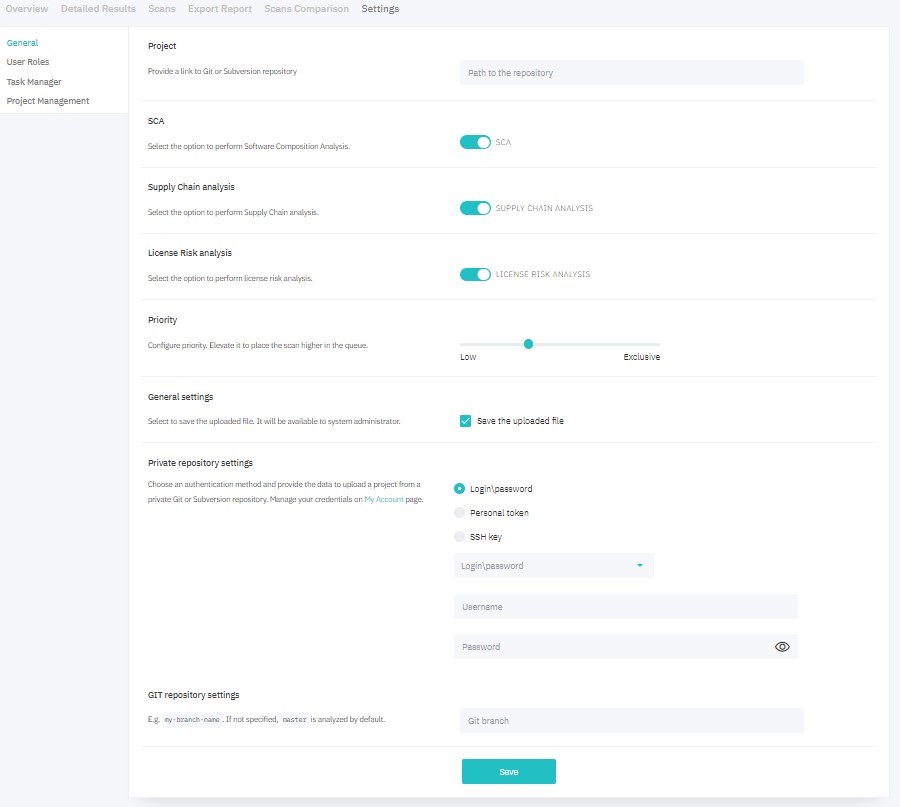
Figure 7.19: General
On User Roles, you can grant access to the project to other system users and configure their set of roles within the project.
Project Management
You can edit project’s data, archive, or delete a project on the Project Management page. Archived projects remain in the system and can be retrieved. To delete a project without possibility of recovery, click Delete Project and confirm the action.
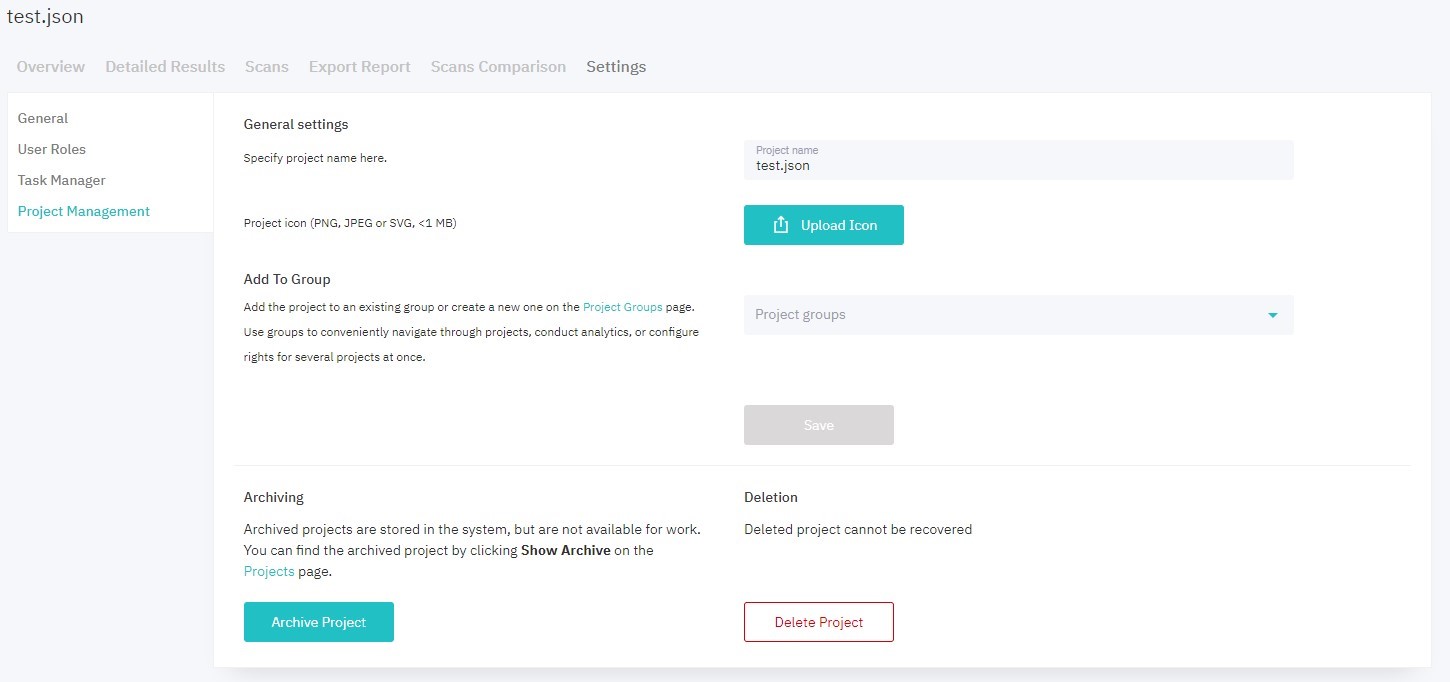
Figure 7.20: Project Management