Managing a Project
Overview
Overview provides brief scan and project statistics. To go to Overview, click project name in the Projects or Home (if the project is among six most recent projects).
Choose a scan for display In the upper-right corner. When you click the icon, the analysis launch parameters for the selected scan are displayed.
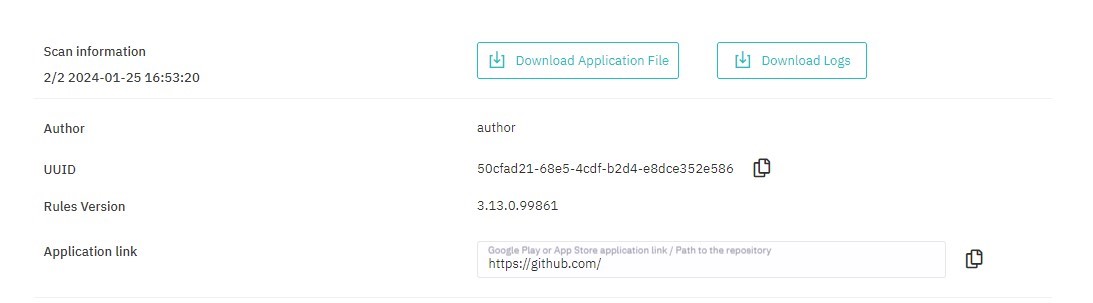
Figure 5.5: Analysis settings
The Overview page shows:
- Scan status
- Score
- Scan duration
- Number of lines of code
- Number of vulnerabilities by severity level
- Language statistics
- Statistics by files
- Statistics on classifications
- Scan and project details in charts and graphs
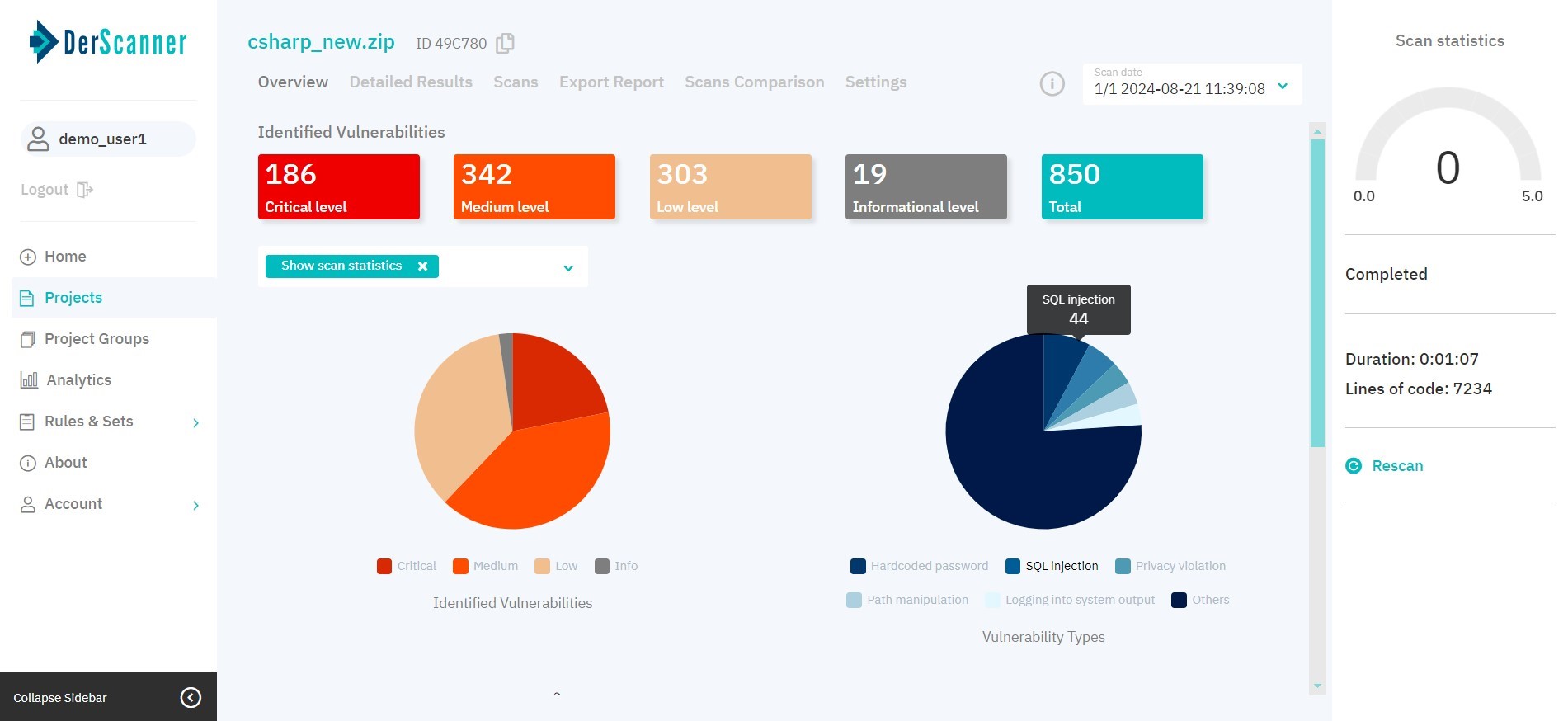
Figure 5.6: Overview
You can start a new scan by clicking Rescan. If a scan is underway, you can pause or stop it.