A separate Builder for SAST
Purpose and preparation
Builder builds Java, Scala and Kotlin projects for SAST when source code is uploaded without compiled classes. It does not replace a SAST agent or increase the licensed scan concurrency.
Use a server separate from the main server and from servers running SAST. An installation uses one Builder. Add the server under Servers, confirm its SSH key and check connectivity as described in Core, SAST, DAST and SCA on separate servers. Install the build tools required by your projects, such as Maven or Gradle, or specify their full paths in the build command. Allow the main server to reach Builder on TCP port 8080 (DerScanner 13.2.11); the plan and DCP messages name the port.
Install and connect
- On the main server, open Advanced settings → Settings → Optional components → Builder. This section is available when the installed version offers the component.
- Select Server for Builder and choose Install. DCP shows a plan before changing the server.
- Read the plan and resolve errors. Builder cannot run on the main server or alongside SAST. DCP uses the saved registry account when available; otherwise, the required images must already be loaded. This form has no separate delivery-folder selector.
- Select Start the installation and wait for the result. Check Runs on … and the Connected status.
- If Builder is installed but Not connected, load a license when the message requires it, then select Connect. Check a suitable project's build in DerScanner.
Recovery and replacement
If Builder is unreachable, check that the main server can reach its reported TCP port. Install missing Maven/Gradle tools before the first build. Do not install over an existing Builder: remove the previous component before installing a replacement using this chapter.
After a failed installation, read the result: DCP may already have undone the changes. If undoing them also failed, the component may remain on the remote server without being connected to DerScanner; establish its actual state first. For a permanently lost server, use the Builder forget procedure in Replace a server or relocate a component. It does not remove files on the lost server.
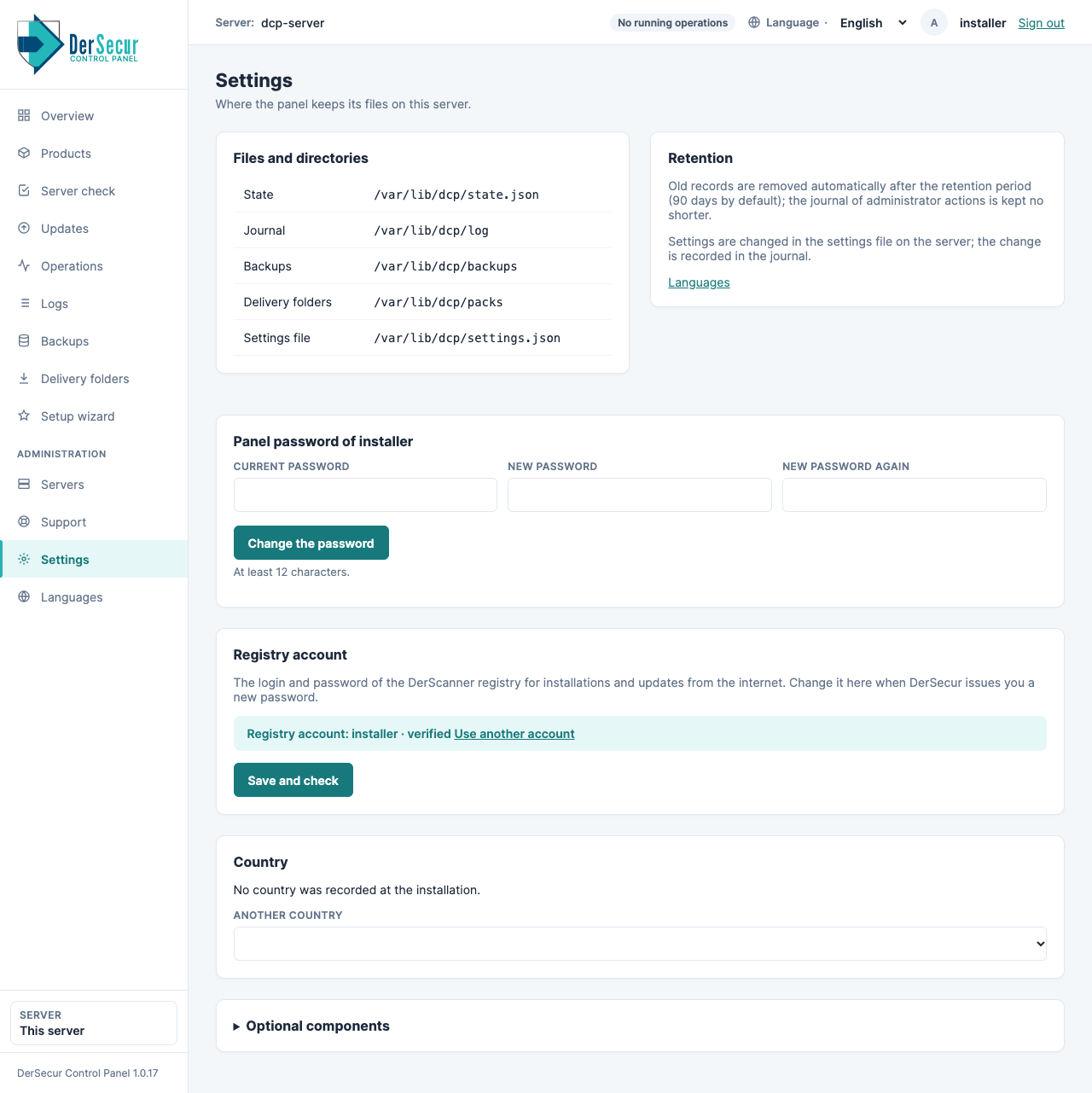
Settings: paths, panel password, registry account, country and optional components.