Diagnose a failure
Establish the context
Record the server, action, time, version, module and exact error. A disconnected browser does not necessarily mean the server operation stopped. Check Operations before starting another installation.
Procedure
- In Overview, check the current server and unfinished-operation notices.
- Open the relevant entry in Operations. Read the last completed phase and the reason execution stopped.
- Repeat Server check after correcting conditions. Use requirements for the selected version and modules. Every row has a name, for example "Datastore of the hypervisor", "Firewall", "Access to the task queue" or "Processor cores for SAST". On a server without Docker the row says that the Setup wizard installs it; on a remote server Docker comes with the installation from Servers.
- For insufficient space, check the filesystems holding the product, Docker, backups and delivery folder. Space on another disk does not help. Do not delete database volumes or the only recovery copy.
- For download failures, check the specified registry, DNS, system time and download account. Behind a filtering proxy, also check the Docker daemon proxy and access to operating-system package mirrors, including distribution mirrors on AlmaLinux, RHEL and Rocky Linux. Offline installations require a complete delivery folder for the selected release.
- For SSH failures, check address, port, user and authentication method. Confirm host fingerprints through an independent source.
- For startup failures, open Products, find the affected module and open Log. Check Core and other dependencies.
- If Docker installation is waiting for another package process, let the system update finish. Do not delete package-manager lock files.
- After correcting the cause, repeat only the appropriate check, continuation or component start. Ensure the previous operation has finished.
- If a screen reports that it "could not be read" or that the panel "does not answer: it may be restarting", wait a moment and repeat; the panel may be restarting after an update. If the error returns, collect diagnostics using Locate an operation and collect support diagnostics and provide support with the exact reproduction sequence.
Verify recovery
The successful result must refer to the intended server and operation. Also check component state and product availability. Record the recovery time to distinguish new failures from old log entries.
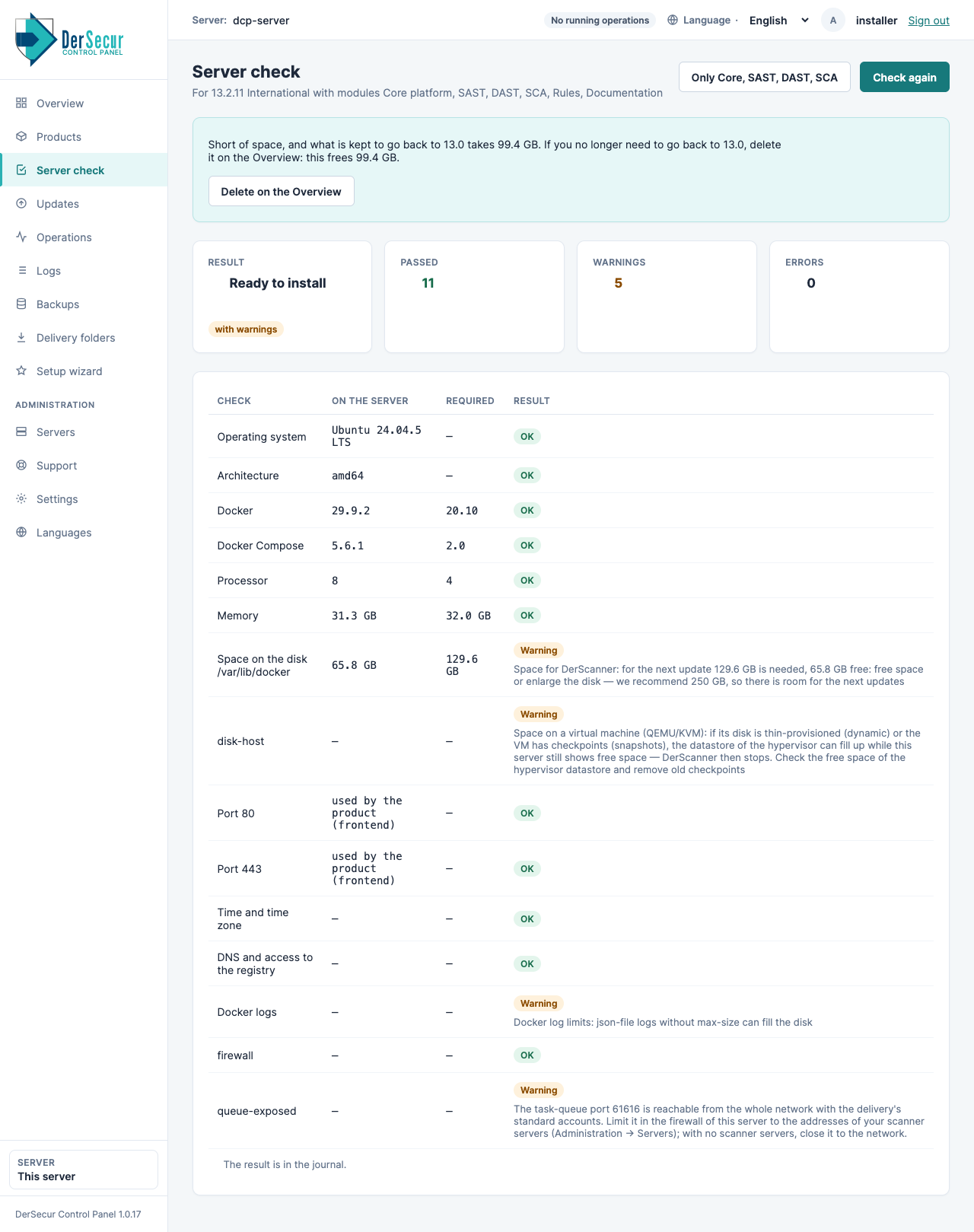
Server check: requirements of the installed version and modules.