Locate an operation and collect support diagnostics
Preparation
Identify the problem time, server and module. Send the diagnostic archive through the agreed secure channel and convey its password separately, in another message or by phone. Do not put passwords, private keys or licence files in the ticket description.
Logs
- Open Operations, locate the relevant run and open its details.
- Record the operation ID, start time and result. Ensure this is the current attempt rather than a similar older entry.
- Open Logs and select Product services, Panel operations, Administrator actions or Server checks, as appropriate.
- Choose the module, severity and time period. Widen the period for an older failure.
- Search (the field accepts text, a code or an operation ID) for a distinctive message fragment or operation ID. The header line gives the totals, for example "Shown: the latest … of … · errors: … · warnings: …"; "No entries match the search" means the filters show nothing. Read entries before and after the failure to identify the preceding phase.
- Retain the timestamp with its timezone and the exact error text.
Diagnostic archive
- Open Support, or stay on Logs; both pages provide Archive for support (on a remote server's screen, Archive for support of this server (name)).
- Select Archive for support once and wait for the result. Keep the result available until the file and password are saved.
- Select Download the archive to save the generated ZIP. Use Copy password to copy the displayed password into secure storage separately from the archive.
- Check that the download completed. To inspect it, use an archive tool supporting AES-encrypted ZIP files; lack of AES support does not prove archive corruption.
- Prepare the DCP and DerScanner versions, server/topology, scenario, expected and actual result, time, operation ID and reproduction steps.
- Send the archive and instructions for obtaining its password to support through the approved channel. Do not expose the password in screenshots.
If collection fails
Keep the collection error, panel version and original problem details. Do not treat an empty or incomplete file as finished diagnostics. Support can provide an alternative server-side collection procedure if needed.
Search scope
Search filters the displayed rows rather than the entire retained log; the page renders up to 300 entries, the latest ones. Old records are removed automatically after the retention period (90 days by default). Narrow module, level and period first. No match does not prove the event never occurred; use the support archive or server journal for complete history. If the display omits a timezone, establish the server and browser time context instead of inferring it from the numbers.

Logs: source, module, level, period and search.
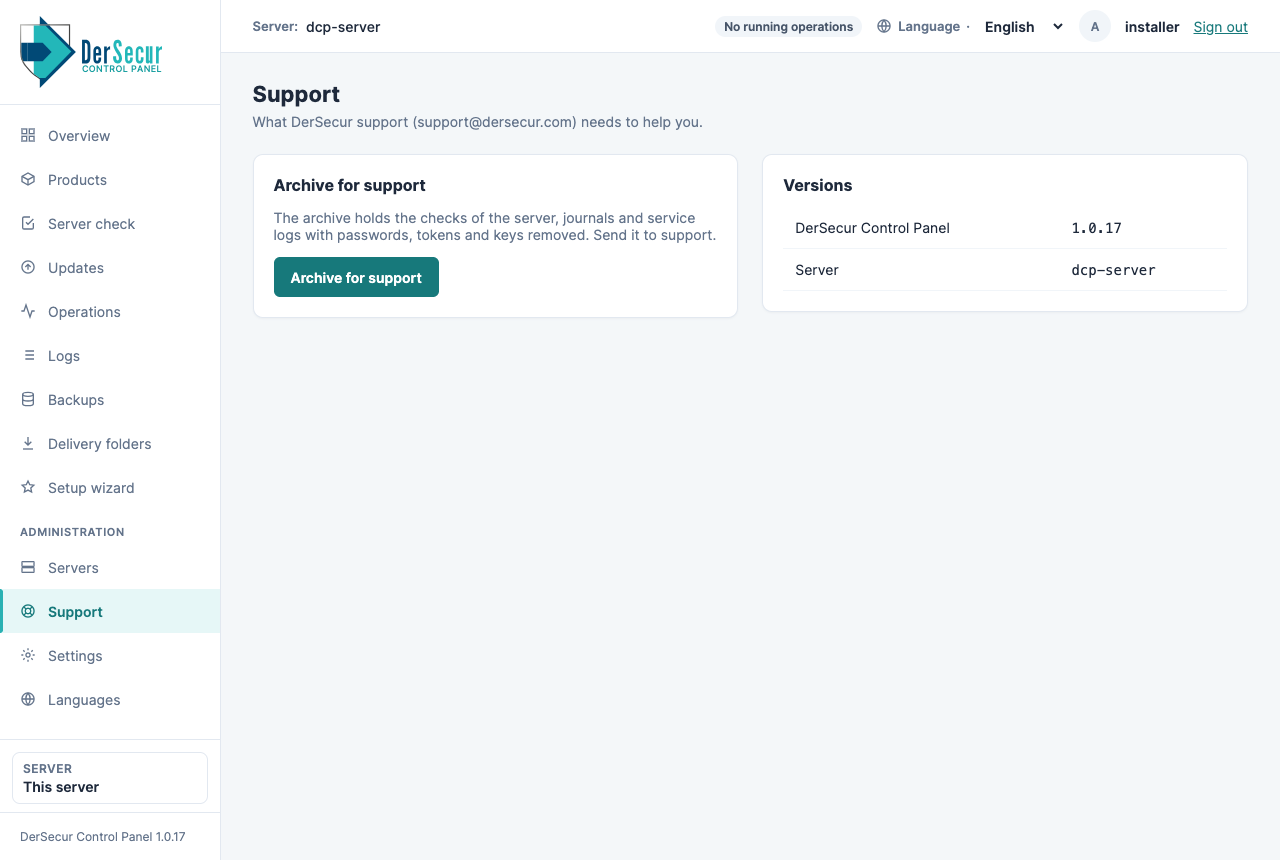
Support: the archive for support.