Recover after an interrupted update, restart or lost connection
First determine whether the server operation stopped or only the browser connection was lost. Closing a tab does not itself stop an operation. Until the state is known, do not start a fresh installation, cleanup, another version return or a second update.
- Restore access to the same panel address and sign in. Open Operations and the original operation. Check server, time, current step and final status.
- If it is still running, continue monitoring. If finished, read the result and warnings. Choose the next action from that outcome, not merely from the connection failure. If the server restarts during an update, return or restore, DCP finishes or undoes that operation by itself when the server comes back; check the result in Operations before pressing anything; an operation finished at the start of the server is reported as "The interrupted operation was finished by the panel when the server started: DerScanner is back on …". While the server is still finishing it, Overview says "The server is finishing an interrupted operation": the modules are shown stopped or with errors for a few minutes (longer with large databases) and nothing needs to be done. The header can still read "No running operations" during this time. A return that was undone is described in Return to the previous version after an update. A restore that a power failure cut before any data changed is shown on Overview as not done: DerScanner runs on its earlier data, and Restore of that backup on Backups starts it again.
- After an unsuccessful update, the panel performs rollback. Find its final outcome: starting rollback does not mean the previous state is already restored.
- If Overview reports an unfinished update/return and offers Finish the rollback, read the cause, resolve access or space problems and press that button; the dialog names the server and asks you to confirm, with no name to type. While the operation is unfinished, modules it stopped read Stopped by an unfinished operation (not Stopped by administrator), and Overview offers no new update beside it. The corresponding server command for an administrator is
sudo dcp rollback; read its confirmation. It completes recovery of unfinished work rather than choosing an arbitrary version. If the update finished and was verified but the state file could not be written, Overview says "The update is done but not recorded" and offers Record the update instead: it takes nothing back and writes the version that runs as the installed one (console:sudo dcp rollback --record). Free space in the state folder or fix its permissions first, and run no other dcp command before it. - Wait for the new final result. Check actual version, services, licence and data access. Retain both the original failure journal and the recovery journal.
- If a backup restore was interrupted, use Finish the restore when offered. The panel continues the recorded unfinished restore. Do not substitute a version return.
- If installation was interrupted, open the unfinished installation in the wizard and continue it or remove leftovers using Stop, continue or restart an installation. For an interrupted module switch, use Finish the switch when offered.
- If a distributed operation lost a node connection, restore SSH and inspect each server. Do not mark an unreachable node complete or start an old scanner against updated Core. Follow the result's instruction for continuing the original all-server operation.
- If recovery cannot finish, preserve backups and retained files, collect an archive through Support, and report the last action, time and error. Do not manually delete marker or state files.
After stable recovery, schedule any new update attempt separately. Return to the previous version after an update returns a successfully installed version; Restore a backup restores backup data.
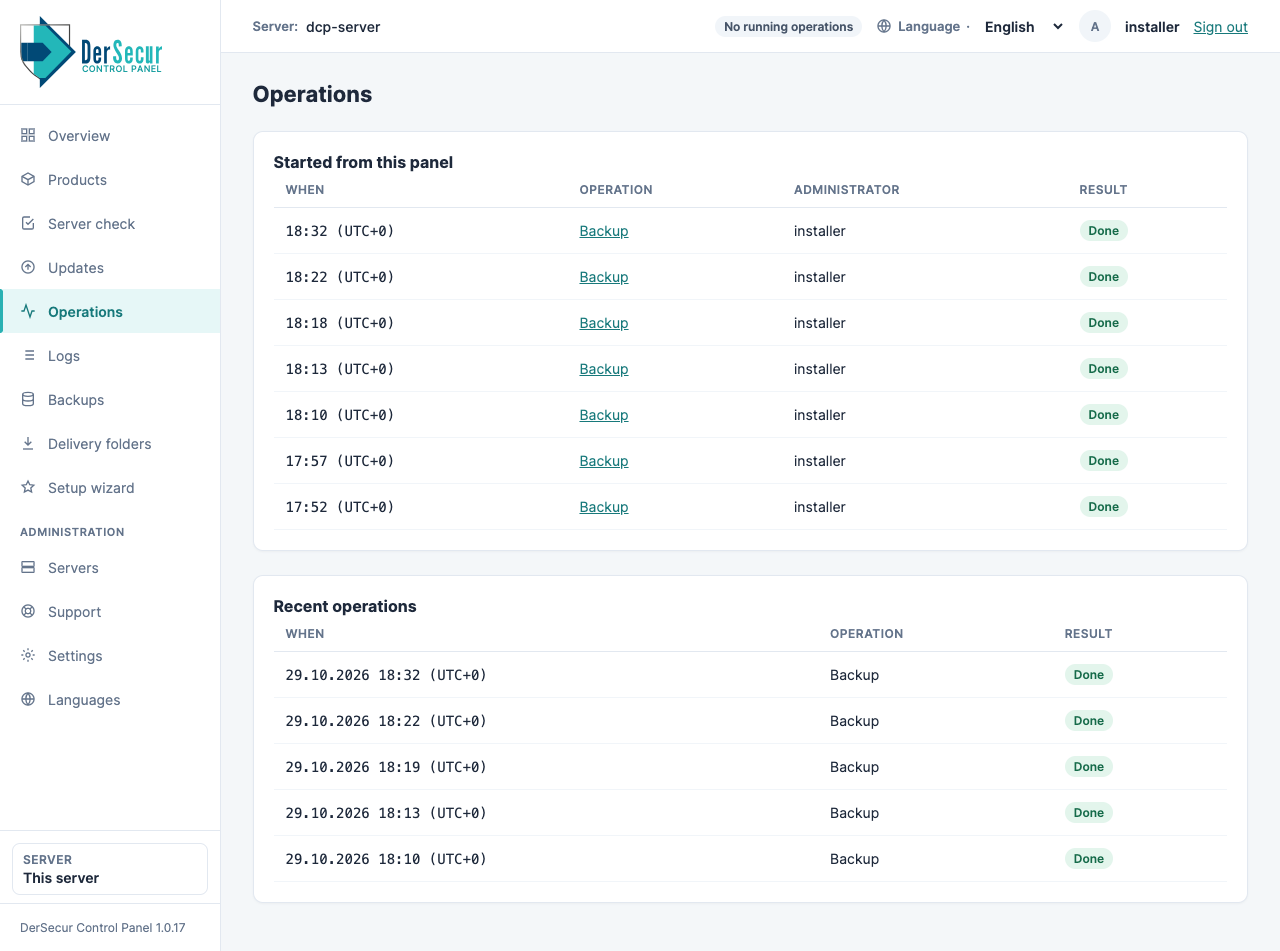
Operations: every action of the panel with its state.